
support40
-
Posts
14 -
Joined
-
Last visited
Content Type
Profiles
Forums
Tutorials
Everything posted by support40
-
Thanks Pratik, you guys have great support. Same goes for the7 theme support team. For anyone not advanced with php like myself, here's what was was done for RankMath Breadcrumbs to function as expected with a different SHOP URL to the homepage: Many thanks. Jon @ captainvapour.co.nz /** Swap Breadcrumb from the7 to Rank Math */ function presscore_get_breadcrumbs(){ if(function_exists('rank_math_the_breadcrumbs')) { return do_shortcode( '[rank_math_breadcrumb]'); } } /** Add Breadcrumb for Home and a link to Store front page */ add_filter( 'rank_math/frontend/breadcrumb/args', function( $args ) { $separator = RankMath\Helper::get_settings( 'general.breadcrumbs_separator' ); $shop_page_url = get_permalink( wc_get_page_id( 'shop' ) ); $args['wrap_before'] = '<nav class="rank-math-breadcrumb"><p>'; $args['wrap_before'] .= '<a href="' . home_url() . '">'. RankMath\Helper::get_settings( 'general.breadcrumbs_home_label' ) .'</a> <span class="separator"> '. $separator .' </span>'; if( ! is_shop() ) { $args['wrap_before'] .= '<a href="'. $shop_page_url .'">SHOP</a> <span class="separator"> '. $separator .' </span>'; } return $args; });
-
As discussed in email, there is another part after testing:
-
Perfect. Thank you so much for this A+ support. Your team will go far! I'm sure this will assist others with the same scenario. Jon.

-
This is excellent Pratik and works. I would need to switch the HOME setting in Rank Math off. Order of Breadcrumbs: While we are here, to be complete for others wanting to also keep "Home", how do we arrange "SHOP" to appear after "HOME"? Thanks so much and Happy New Year!

-
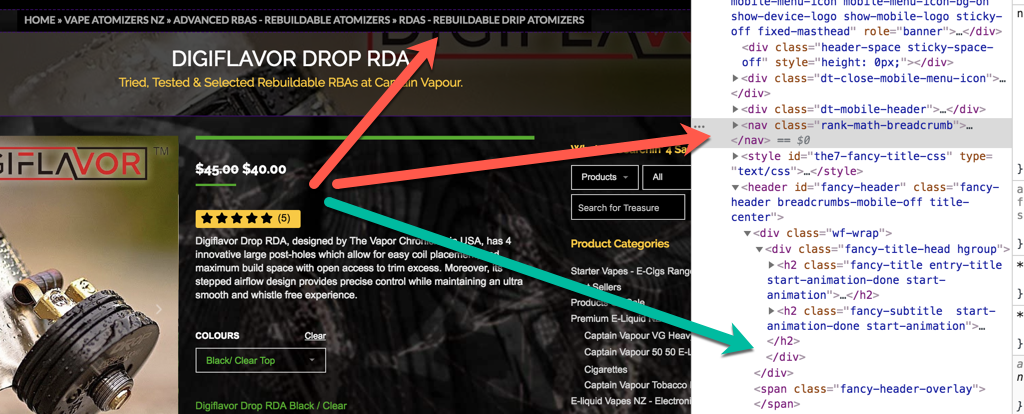
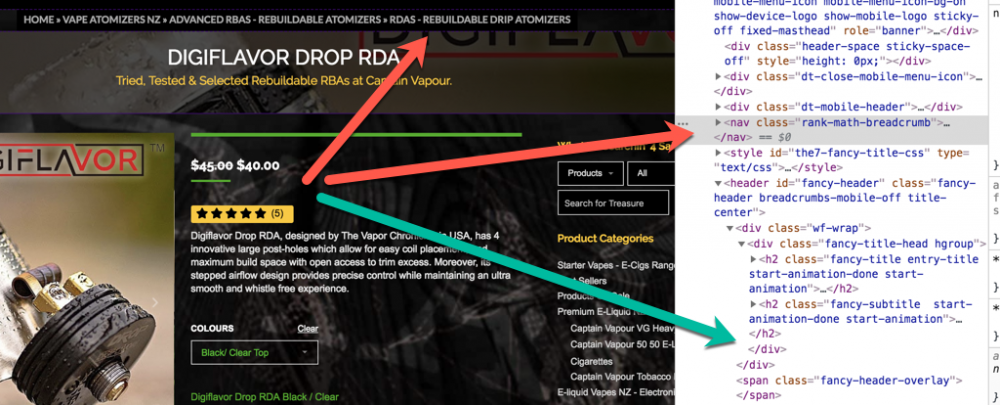
Hi Mista, this is incorrect, I am using Rank Math breadcrumbs not woocommerce breadcrumbs. I have switched from the7 theme breadcrumbs to use Rank Math's breadcrumbs. I want to change the Rank Math generated base url in the breadcrumbs (Homepage Link). This needs to point to the Base of the woocommerce shop. How do we achieve this? The Woocommerce link change code is this: /** * Replace the home link URL */ add_filter( 'woocommerce_breadcrumb_home_url', 'woo_custom_breadrumb_home_url' ); function woo_custom_breadrumb_home_url() { return 'http://woocommerce.com'; } How do we do this for Rank Math's home url? I want "Home" set in Rank math breadcrumb code to point to 'https://captainvapour.co.nz/store/' Thanks, Jon Findings for others using the7 theme: On a side note for anyone using the7 theme, their kind support advised on the correct approach to make Rank Math breadcrumbs work in the7 theme. This is placed in the child's functions.php file: function presscore_get_breadcrumbs(){if(function_exists('rank_math_the_breadcrumbs')){rank_math_the_breadcrumbs();}} We still have an issue to rule out, as Rank Math breadcrumbs are appearing above the header, when its expected to be within the header. **Image shows where it needs to be. I'll update when they get back. @Rank Math. I trust this is a theme issue?
-
I have to say well done. Superb SEO plugin. This will be the go to for 2019 for all. Gets the job done without reading their wordy books of SEO.
-
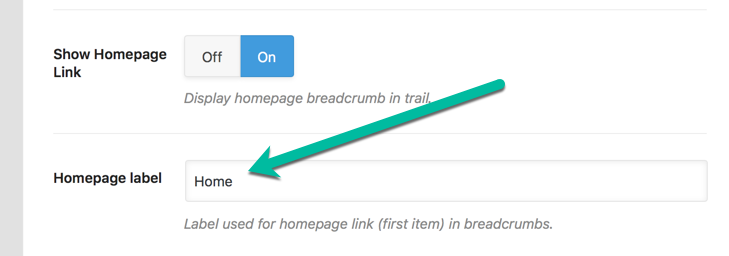
Hi all, Firstly, nice work my theme shop crew. I have De yoasted, and purchased WP Reviews Pro! I've implemented the change to use Rank Math Breadcrumbs, but I could not find a way to link the SHOP base url. Only the HOME landing page is available. Current state, I need to change the URL for HOME to point to the Woocommerce SHOP url. What is the best way of achieving this? I would change to the word "STORE": And Link here to the "STORE" main page here: What would I place in the CHILD Functions.php? Thanks, Jon.